Appearance
macOS App
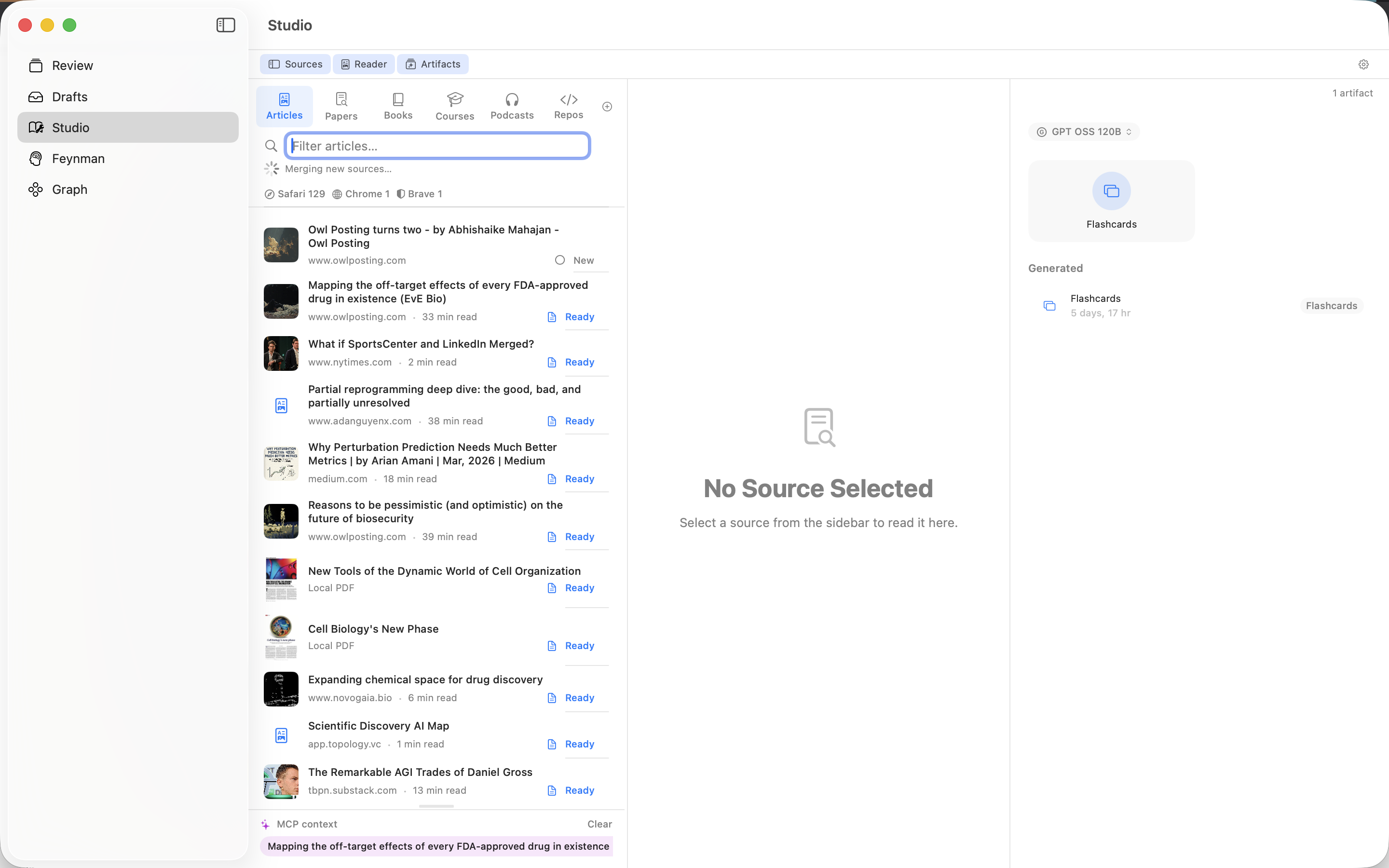
FeynmanLM is a macOS app for tracking your learning sources, planning what to review, listening to articles, and using AI tutors like Claude, ChatGPT, Gemini, Grok, Edison Scientific, or the built-in Chat panel.
Requirements
- macOS 14 (Sonoma) or later
- Apple Silicon or Intel Mac
Install
Install from the Mac App Store, or download directly. The direct download is a notarized universal binary that runs on both Apple Silicon and Intel Macs.
First Launch
On first launch, the app opens directly to the Studio tab — the central place where all your sources live.
Full Disk Access
To automatically discover articles from your Safari Reading List, the app needs Full Disk Access:
- Open System Settings → Privacy & Security → Full Disk Access
- Toggle FeynmanLM on
Without this, you can still add sources manually by pasting URLs, or from Chrome/Brave reading lists (which don't require special permissions).
Using with AI
Select sources in Studio and drag them into Claude, ChatGPT, Gemini, Grok, or Edison Scientific — no setup required.
For a persistent connection where your AI can search your full library without dragging, you can optionally set up the MCP server. Tailscale or another tunnel you control is the privacy-first setup. The hosted Cloudflare relay is easier, but MCP traffic passes through FeynmanLM-operated Cloudflare infrastructure. The MCP server auto-starts when the app launches; check its status in Studio → gear icon.
You can also use in-app Chat when you want to stay inside FeynmanLM. It uses your configured API provider, saves review sessions, and links completed Feynman reviews back to sources.
Key Features
- Studio tab: track and read all your sources in one place
- Schedule: assign sources to days and track review progress
- In-app Chat: ask questions and run Feynman reviews with your own API provider
- Read Aloud: listen to articles and text sources with on-device or cloud TTS
- Source ingestion: automatic discovery from browser reading lists, local PDFs, podcasts
- Drag & drop to AI: drag sources into Claude, ChatGPT, Gemini, Grok, or Edison Scientific
- Semantic search: find sources by concept across your entire library
- iCloud sync: all data stored in your private iCloud container